Getting Started
Accessing the Certificate Portal
The interface to access certificates is within your Teams environment. In order to access your Teams environment, you need to be invited by Ace, and use the link provided by Ace. Sign is with the corporate (Microsoft) credentials for your company.
All our teams site URLs look like https://aceconstructions.sharepoint.com/sites/YourTeamSiteName. If you can’t remember your Team Site Name, then it will be the same as any colleagues in your company, or contact us.
You need to be using the same credentials that were originally invited. Make sure you are using these.
If you need access, or still have problems, contact us.
Finding Door Certificates
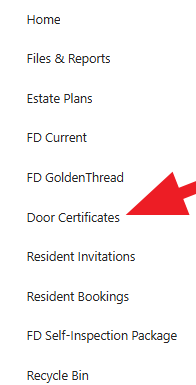
From the Teams portal, click Door Certificates. This will open up a new page where you can filter for your certificates
These will be phased out, so get used to the new Certificate Portal.